How to Value a Pile of LEGO Minifigures From One Photo
You are scrolling ShopGoodwill or Facebook Marketplace, or standing at a yard sale, flea market, or estate sale, and there it is: a bin, a baggie, or a pile of LEGO minifigures. The seller has no idea what they are worth — and neither do you, at a glance. Is this a $15 grab bag or $200 of hidden gems? Brickguess exists to answer that question in the ten seconds you actually have.
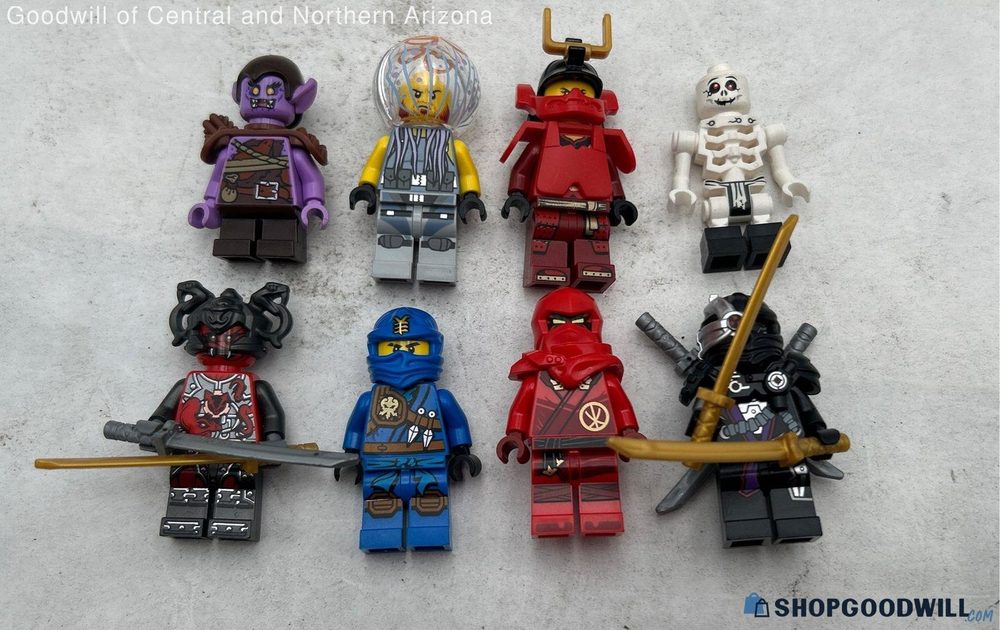
The reseller problem: value a pile fast, without handling every fig
Minifigures are where a lot of LEGO value hides. One rare licensed fig can be worth more than a whole tub of common ones, but they all look roughly the same in a photo to an untrained eye. Pricing a lot by hand means naming each fig, looking each one up, and adding it up — minutes you do not have when someone else is eyeing the same table, or when a Marketplace listing is ten minutes old.
One photo of the whole pile
Brickguess is built for the pile, not the single fig. Take one photo of the lot — or screenshot the seller's listing photo — and it detects every minifigure in the image at once, identifies each one against a catalog of thousands, and shows an estimated value for each. You get a list and a rough total, so you can compare it to the asking price and decide buy or pass on the spot. That is the whole point: a fast, honest guess at what is in front of you.
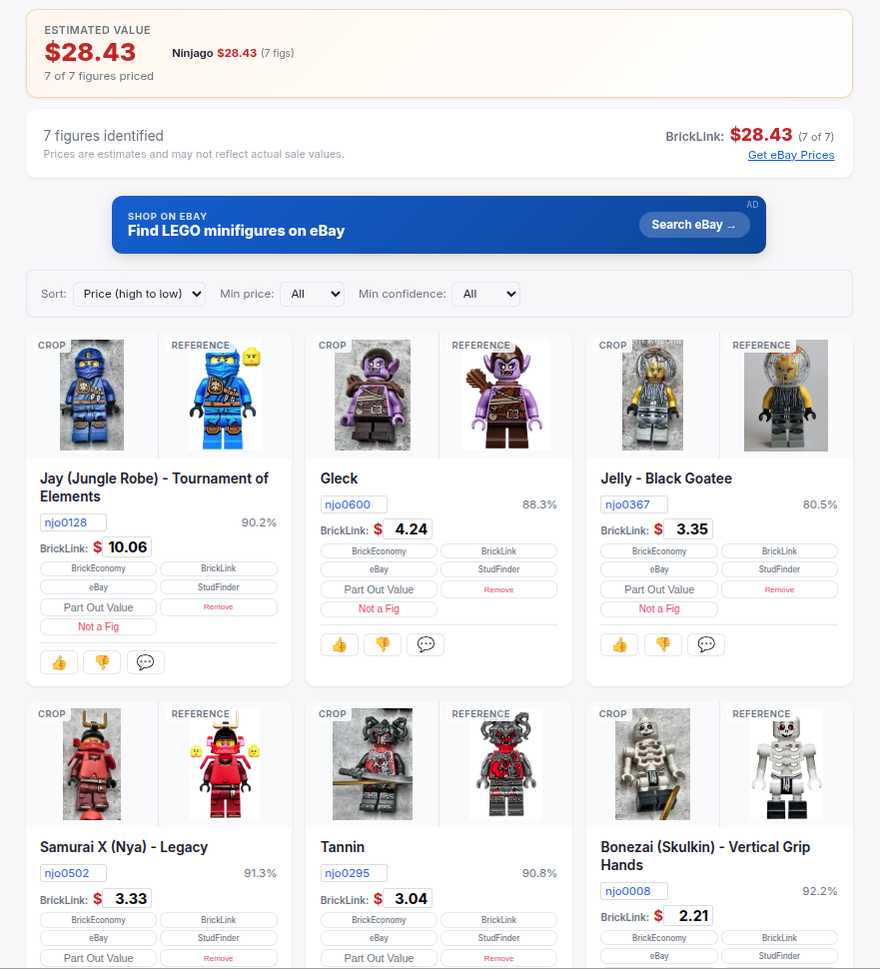
A lot spread across several photos? Batch Scan dedupes it into one value
ShopGoodwill auctions often post several photos of the same lot — one wide shot of everything, then a few close-ups zoomed in on different sections. Scan those one at a time and you double-count: the figs that appear in both the wide shot and a close-up get valued twice, and your total comes out wrong. Batch Scan handles it. Upload every photo of the lot at once and it identifies the figs across all of them, deduplicates the ones that show up in more than one picture, and gives you a single combined lot value. It is the right tool any time a listing spreads one lot across multiple pictures — you get the true total, not an inflated one.
How to get a good guess
- At a sale (your own photo): spread the figs out so they are not stacked, face them forward (the torso print is the biggest tell), and use even light with no harsh glare. A quick rearrange beats a blurry pile.
- From a listing (a screenshot): use the clearest, most zoomed-in photo the seller posted. If they have several photos, screenshot the best one. Blurry, dark, or tiny thumbnails give the model less to work with — and a worse guess.
- Re-shoot the uncertain ones. If a fig comes back low-confidence, a sharper, front-on photo usually moves it straight to a solid match.
Reading the estimate
Treat it as a guess, not an appraisal. High-confidence matches are usually right; a cluster of low-confidence near-ties means the photo is ambiguous or the fig is a look-alike. The total gives you a ballpark to weigh against the price — enough to know whether a lot is worth a closer look or a hard pass. Remember that real value depends on condition and completeness (the accessories a fig shipped with), so a great on-screen number still deserves a sanity check in hand before you pay up.
Incomplete figs? Value just the parts that are there
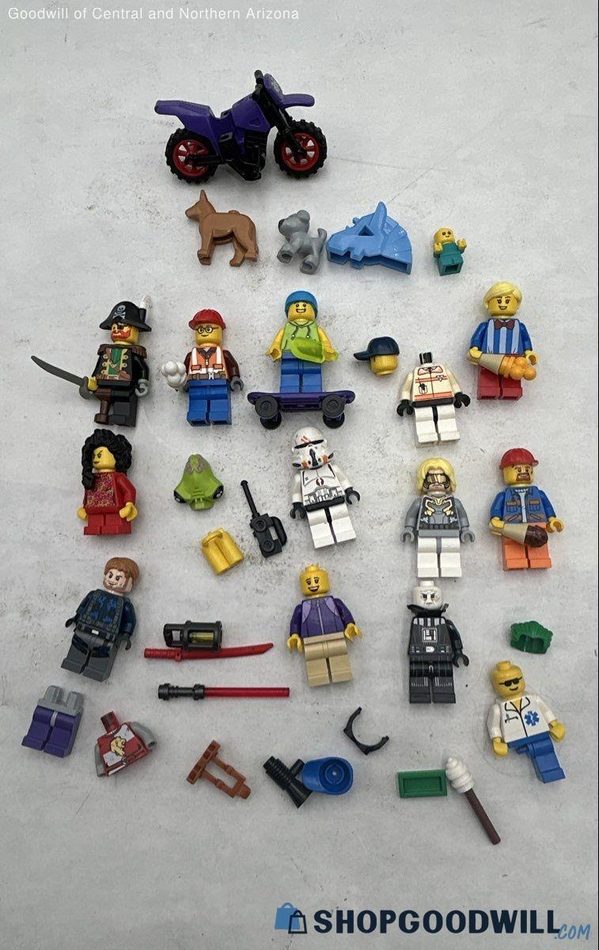
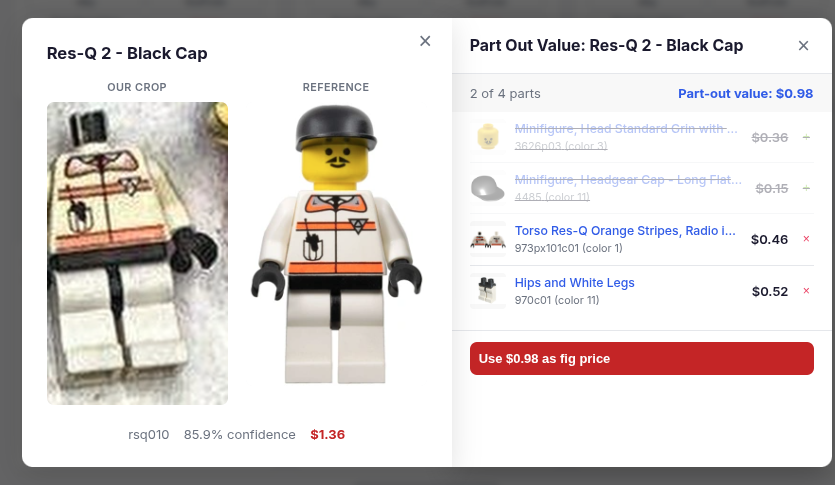
Real lots are rarely complete — a fig turns up missing its hairpiece, an accessory, or a leg, which is exactly what happens when figures get tossed in a bin and separated from their pieces. For any identified fig, Brickguess can break it down into its individual parts — head, torso, legs, hair, accessories — each with its own value, and let you toggle off whatever is missing. The part-out total updates instantly, so a fig missing its hairpiece is valued on just the parts you actually have. Do it fig by fig across the photo and even a messy, half-complete lot gets an honest approximate value — instead of a number that pretends everything is perfect. That is a real edge when you are pricing a bin of loose, mixed figures.
Why this is an edge
The reseller who can look at a Marketplace photo or a flea-market bin and know roughly what it is worth before anyone else does is the one who buys the good lots and skips the junk. That speed is the edge — and it is exactly what a one-photo value guess gives you.
Sealed sets instead of loose figs? Use Set Guess to value a shelf of boxes from one photo. And if you already own LEGO and are deciding what to keep versus flip, see our guide to what to hold and what to sell. Ready? Scan a pile of minifigures.